Deploying Production Ready Llm Pipelines With Zenml Sagemaker Docker
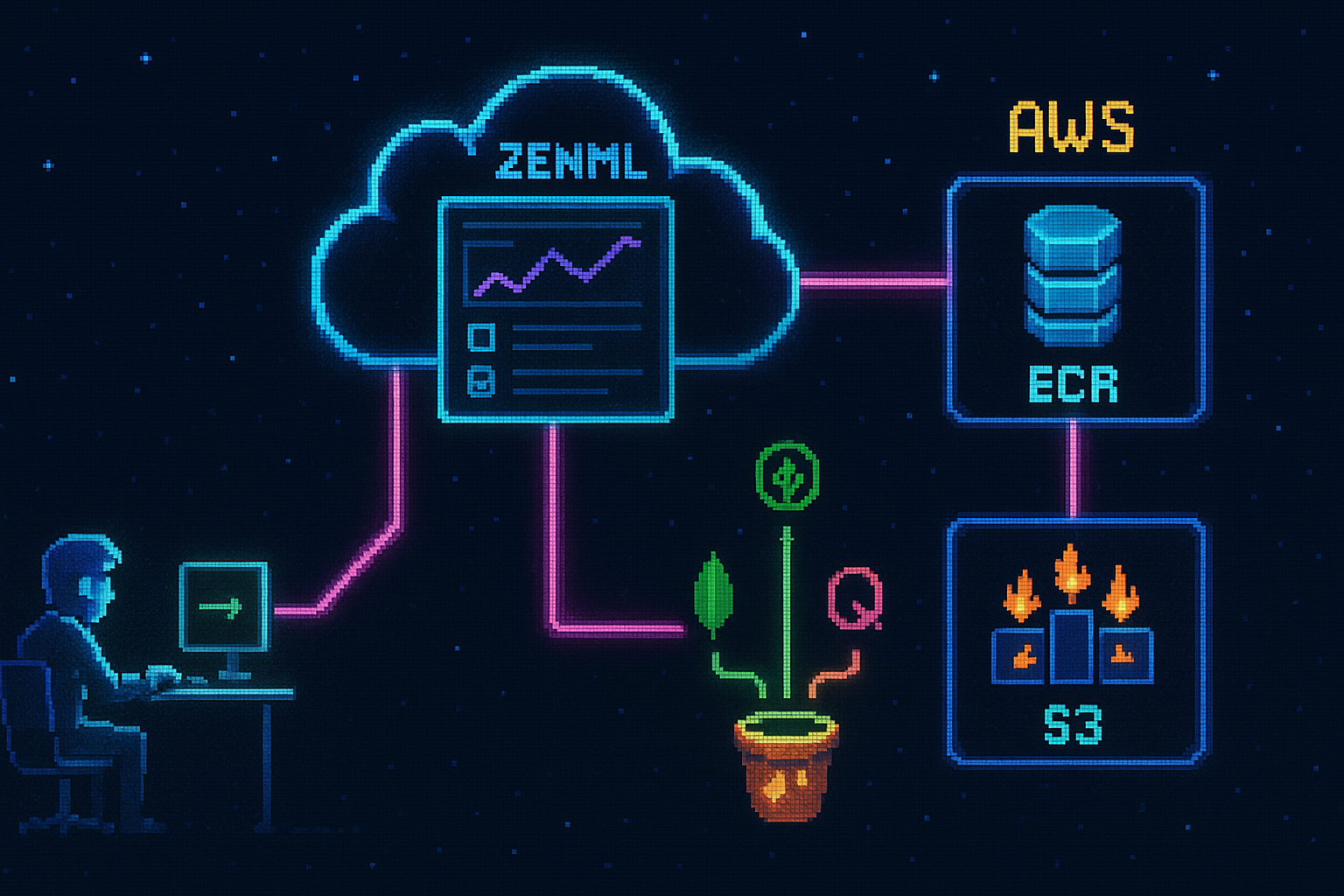
Combining ZenML’s orchestration with AWS SageMaker is one of several ways to run machine learning pipelines at scale. This post explores a deployment that takes an LLM system to the cloud — storage, orchestration, and compute — using serverless architecture.
Moving ML pipelines to the cloud so they can scale and serve clients requires several components:
- Managed document and vector storage instead of local databases
- A cloud orchestrator to run, scale, and store the ML pipelines
- A container registry the compute layer can pull images from
- Object storage for artifacts and models
- Infrastructure as Code so the resources are reproducible
Architecture Overview
The deployment ties four services together. The training and inference pipelines already run on AWS SageMaker, so connecting the remaining pieces puts the entire system in the cloud.
Local CLI / ZenML Dashboard → ZenML Cloud → ECR → SageMaker (EC2) → S3 / MongoDB / Qdrant
Core Components
MongoDB serverless: An M0 free cluster for document storage, deployed on AWS.
Qdrant serverless: A free cluster for the vector database.
ZenML cloud: The orchestration layer, on a seven-day free trial. It allocates the required AWS resources.
AWS: ECR for Docker images, S3 for artifacts and models, and SageMaker Orchestrator for running and scaling the pipelines. The SageMaker training and inference components are the costly part and are left out of this setup to keep cost minimal.
Key Features and Implementation
The Pipeline Flow
After the infrastructure is set up, the core flow of running a pipeline in the cloud looks like this:
- Build a Docker image containing the system dependencies, project dependencies, and the LLM application.
- Push the image to ECR, where SageMaker can access it.
- Trigger the pipeline from the local CLI or the ZenML dashboard.
- Each ZenML pipeline step maps to a SageMaker job running on an AWS EC2 VM.
- SageMaker pulls the Docker image from ECR and runs the step inside a container.
- As the job executes, it reads from and writes to S3, MongoDB, and Qdrant, while the ZenML dashboard reports real-time progress.
This flow provides several benefits:
- Scalability: SageMaker runs and scales each step on dedicated EC2 compute.
- Parallelism: Independent DAG steps run concurrently.
- Visibility: The ZenML dashboard gives a real-time view of the run.
Region Consistency
All services are deployed to the configured AWS region. Any other region can be used, but it must stay consistent across every service to ensure faster responses between components.
Connecting the Storage Layer
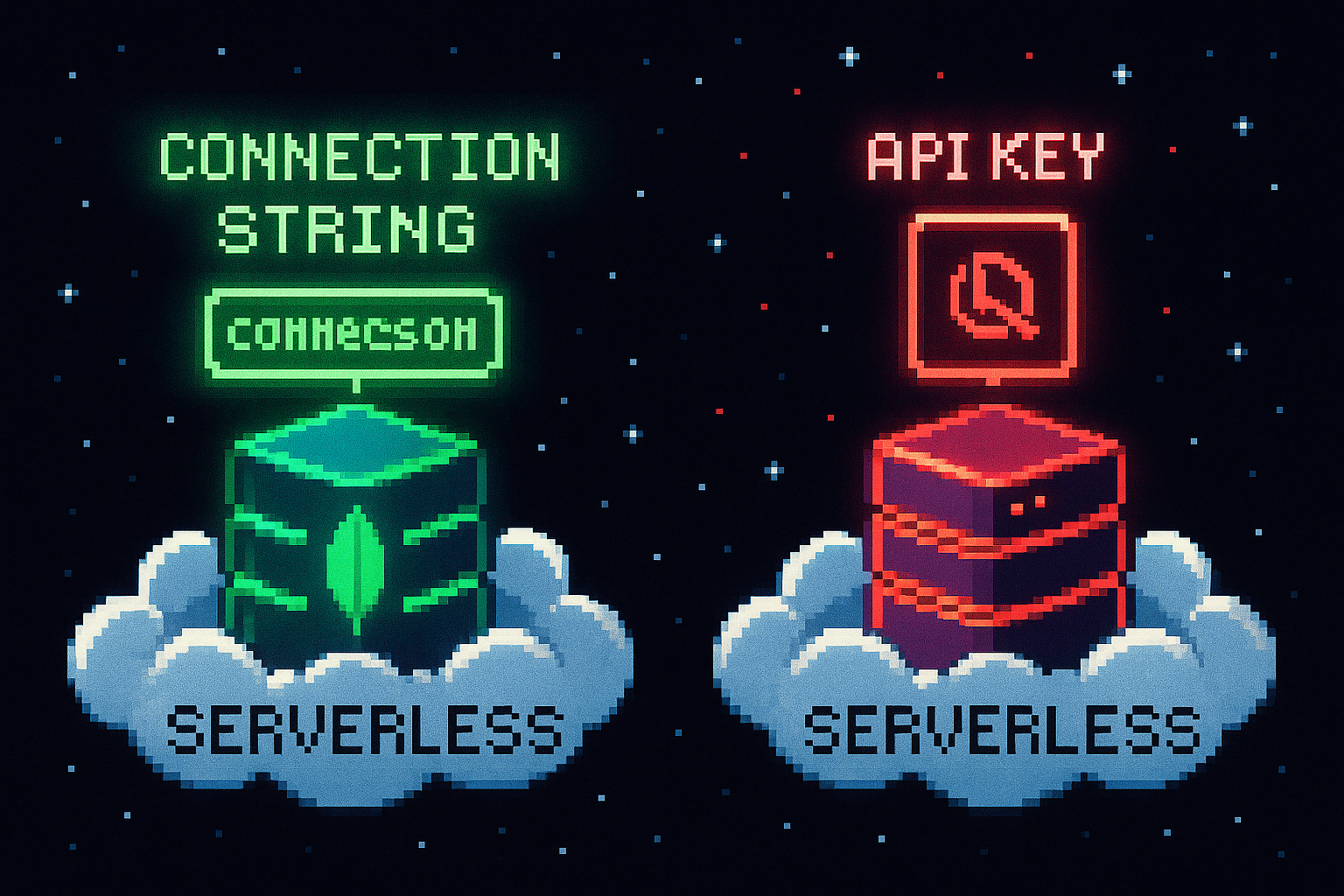
MongoDB is connected by setting the cluster’s connection string as DATABASE_HOST in the .env file:
DATABASE_HOST=mongodb+srv://<username>:<password>@app.rewsih.mongodb.net
Qdrant is connected by setting three environment variables from the cluster endpoint and access token:
USE_QDRANT_CLOUD=true
QDRANT_CLOUD_URL=<cluster endpoint>
QDRANT_APIKEY=<access token>
Provisioning the AWS Stack
To ship code to AWS, ZenML uses a stack — the set of components (orchestrator, object storage, container registry) it needs to run pipelines. Created through the in-browser experience and named aws-stack in eu-central-1, ZenML uses CloudFormation to provision:
- An IAM role granting permissions between the components
- An S3 bucket as artifact storage
- An ECR repository as the container registry
- SageMaker as the orchestrator
For more control, ZenML also supports Terraform to fully manage the AWS resources or connect to existing infrastructure.
Containerizing the Code
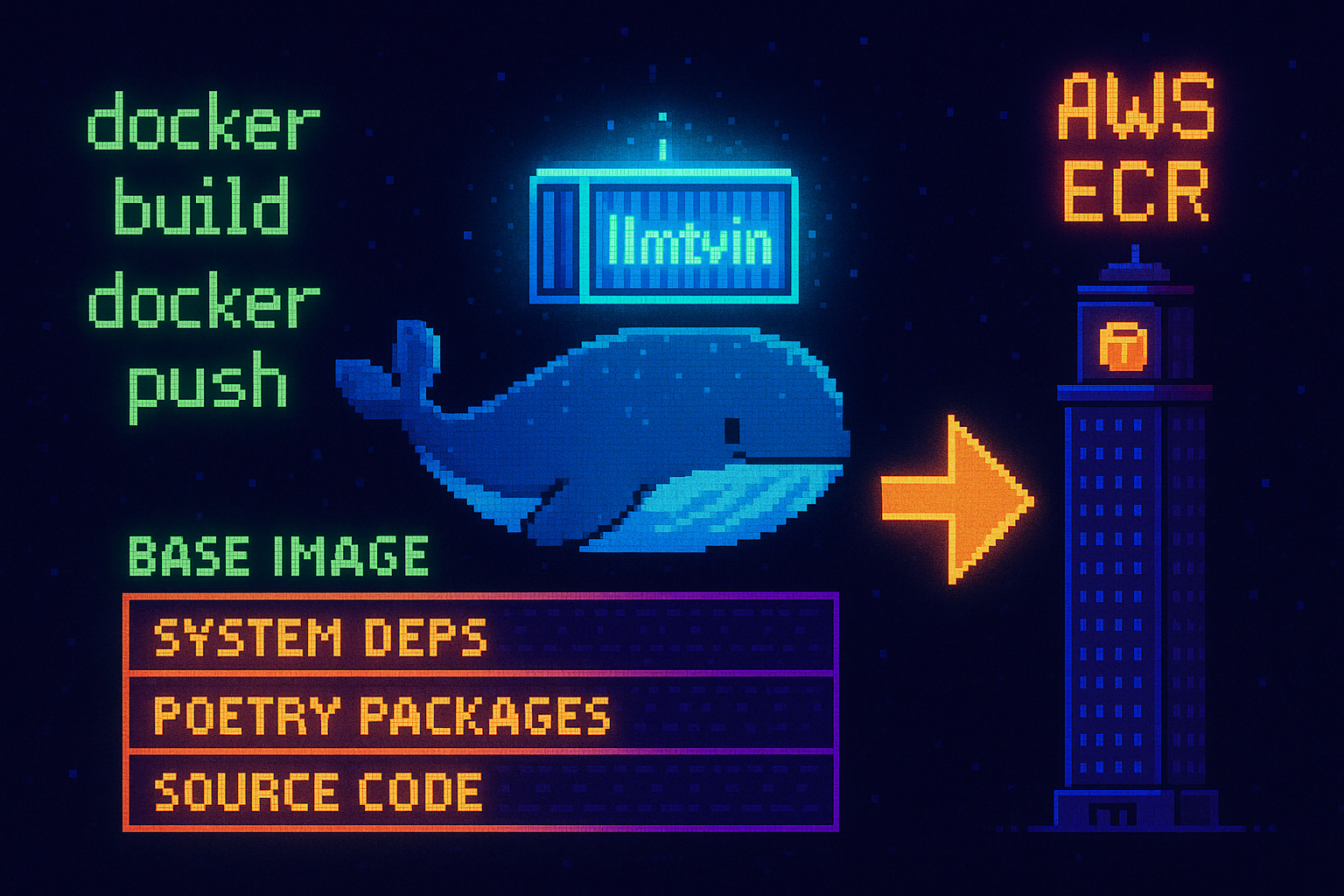
The application ships as a Docker image defined in the project’s Dockerfile. It is installs Google Chrome and system dependencies, and uses Poetry for dependency management.
COPY pyproject.toml poetry.lock $WORKSPACE
RUN poetry config virtualenvs.create false && \
    poetry install --no-root --no-interaction --no-cache --without dev
COPY . $WORKSPACE
Because Docker caches and layers each command, copying the project files in the last step means a code change doesn’t force a reinstall of system and project dependencies — taking full advantage of the caching mechanism to keep rebuilds fast.
docker buildx build --platform linux/amd64 -t llmtwin -f Dockerfile .
aws ecr get-login-password --region ${AWS_REGION} | docker login --username AWS --password-stdin ${AWS_ECR_URL}
docker tag llmtwin ${AWS_ECR_URL}:latest
docker push ${AWS_ECR_URL}:latest
Security and Best Practices
Credential Management
Credentials from the .env file are exported to ZenML secrets, a feature that safely stores credentials and makes them accessible within the pipelines, rather than baking them into the image:
poetry poe export-settings-to-zenml
IAM Permissions
ZenML creates a set of IAM roles so the components can communicate with each other, granting access to AWS services without sharing security credentials directly.
Network Access
For the MongoDB cluster, access is opened from any IP for simplicity, so the pipelines can read and write without additional networking setup.
Real-World Usage Example
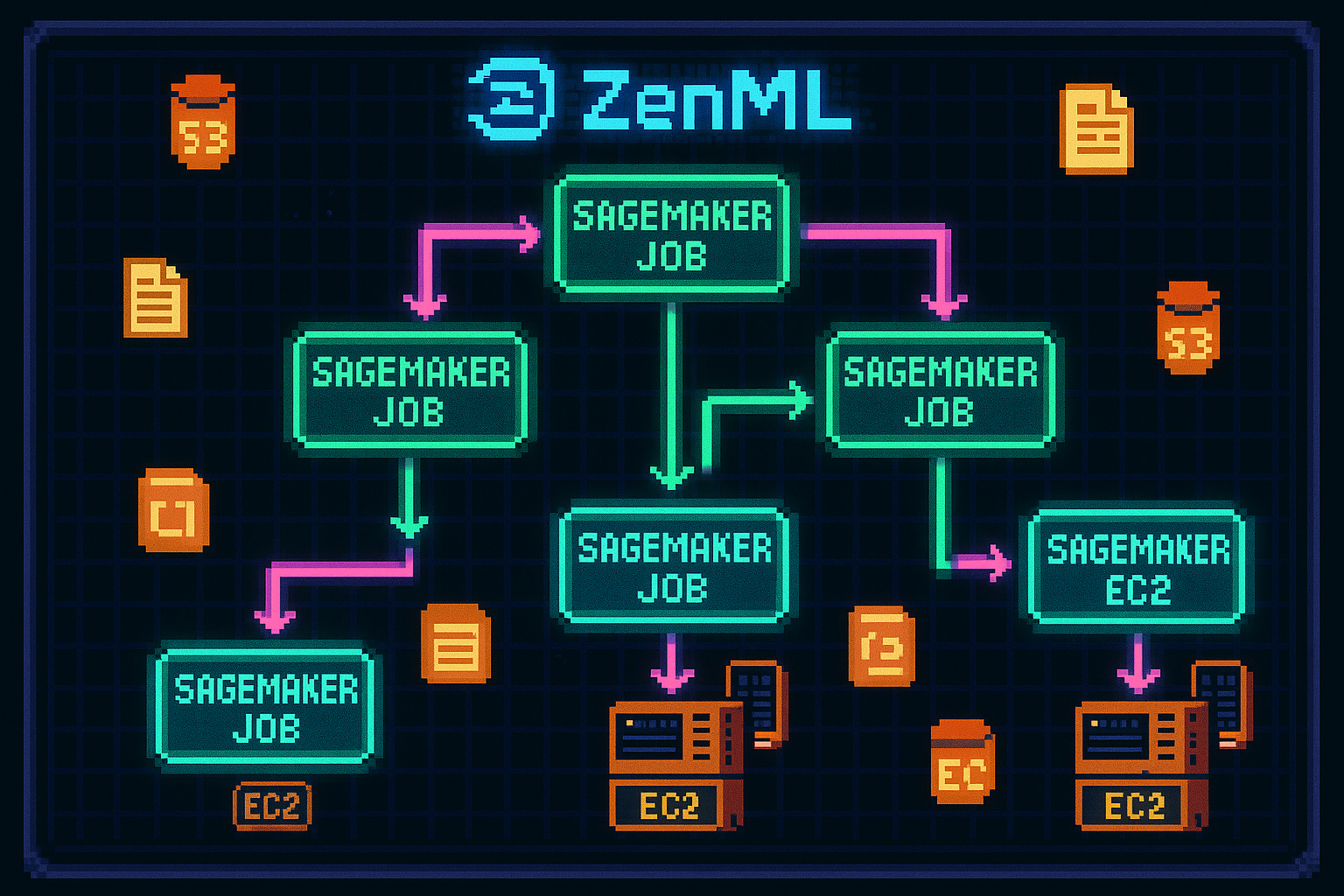
Switching to the AWS stack and running the end-to-end pipeline comes down to a few CLI commands:
zenml stack set aws-stack
zenml orchestrator update aws-stack --synchronous=False
poetry poe run-end-to-end-data-pipeline
The pipeline’s config file points at the ECR image and skips a local build so it always uses the latest image:
settings:
  docker:
    parent_image: <ECR URL>
    skip_build: True
The run is visible under ZenML Cloud → Pipelines and the corresponding processing jobs appear in the SageMaker dashboard.
Considerations and Limitations
Version Matching
The ZenML server version must match the local version. A mismatch can cause strange behavior or failures.
Asynchronous Execution
Pipelines are set to run asynchronously (--synchronous=False) so long-running steps don’t produce timeout errors.
ResourceLimitExceeded
ZenML defaults to ml.t3.medium EC2 instances, but some accounts have a quota of 0 for them. The fix is to request a quota increase through Service Quotas in the AWS console.
Conclusion
By combining serverless MongoDB and Qdrant for storage, ZenML for orchestration, and AWS ECR and SageMaker for registry and compute through a single Docker image, the LLM pipeline becomes reproducible and scalable.